AWS Hosting Platform: What It Is and How to Choose
A client project is growing, the current stack needs constant attention, and someone on the team says the next build should just run on AWS. That sounds decisive until the practical questions start. Who provisions the servers, patches the operating system, configures the database failover, watches the logs, and answers when traffic spikes at midnight? Buying an AWS hosting platform isn't the same as opening an AWS account. One path gives your team infrastructure primitives to assemble and operate. The other gives you a finished, managed platform that already runs on AWS. We built WebinOne for the second path, because most agencies, systems integrators, and enterprise web teams don't get paid to run servers. They get paid to deliver sites, commerce, portals, and campaigns that keep working.
Table of Contents
- What an AWS Hosting Platform Actually Is
- How AWS Hosting Architecture Works
- Managed vs Self-Managed AWS Hosting
- Benefits of a Managed AWS Hosting Platform
- AWS Hosting Costs and Pricing Models
- Security and Data Residency on AWS
- Migration and Operational Best Practices
- Choosing the Right AWS Hosting Platform for Your Team
What an AWS Hosting Platform Actually Is
An AWS hosting platform is either raw AWS infrastructure your team assembles and operates, or a managed system like WebinOne that already runs on AWS and operates that infrastructure for you. That distinction decides who carries patching, scaling, security configuration, and recovery work every week.
Consider a familiar moment. An agency wins a larger client with several brands, a customer portal, and ecommerce. The technical lead proposes AWS because the client needs room to grow and a credible hosting story. The agency owner hears something different, another stack to staff, document, and support after launch. Both are right, depending on which version of AWS hosting they are buying.
AWS didn't start as a conventional hosting package. Amazon records AWS publicly launching on March 14, 2006, initially offering Amazon S3 storage, with Amazon EC2 on-demand compute following a few months later. The model was infrastructure as a service, elastic capacity and usage-based access instead of buying physical machines. A business could store data in S3, run workloads on EC2, and scale resources as demand changed.
Primitives Versus a Finished Platform
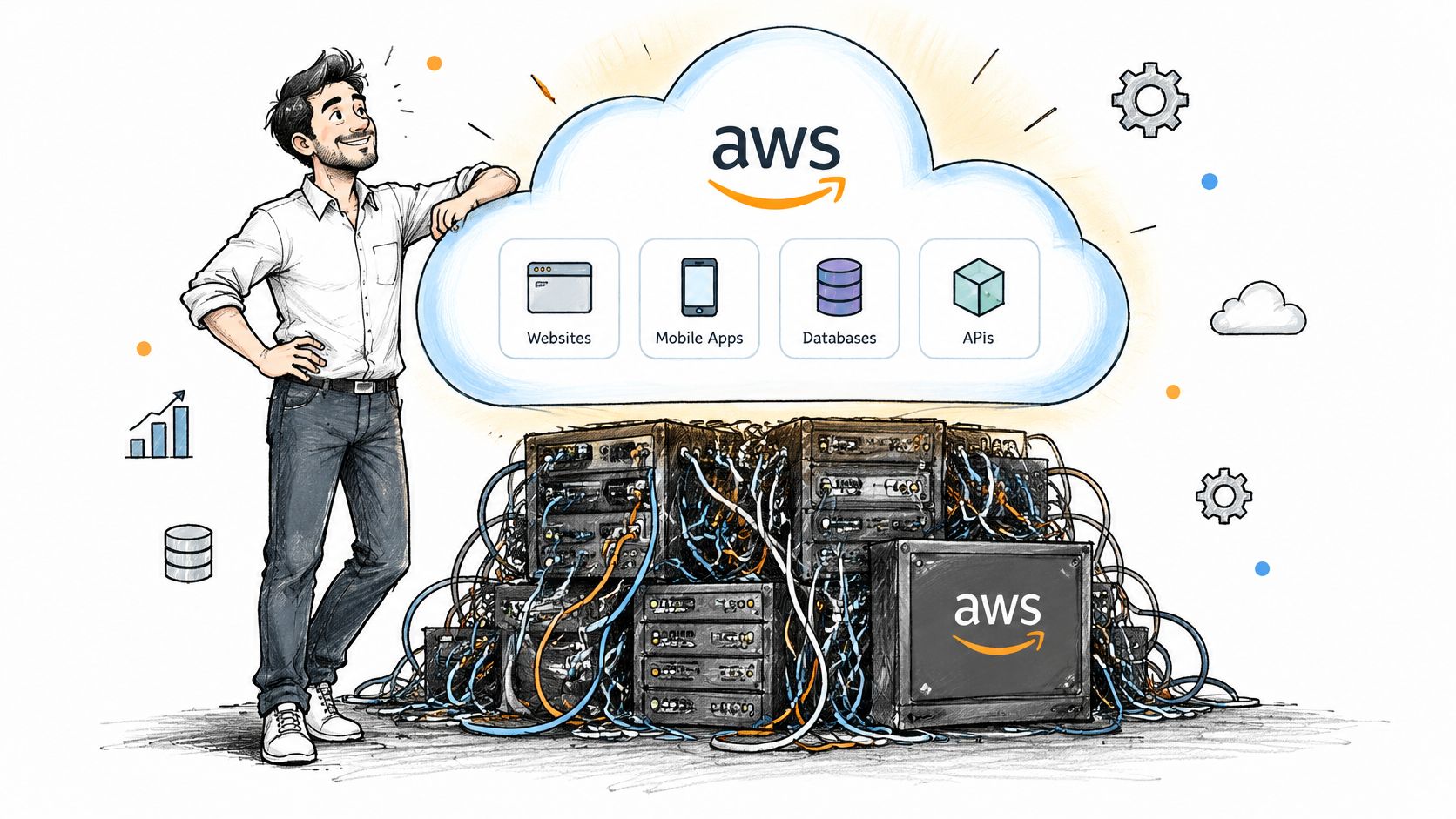
Raw AWS gives you building blocks, compute, storage, networking, databases, monitoring, and content delivery. Your team still designs the architecture, chooses instance sizes, configures load balancing, sets backup policy, and connects everything to a CMS, CRM, and commerce layer. That flexibility suits teams whose product is the infrastructure itself.
A managed platform works differently. The provider operates the application layer on AWS, so hosting, the CMS, commerce, CRM, and site operations arrive as one system rather than separate projects. WebinOne runs this way, in our AWS account as a managed platform, with a licensed version available by agreement for qualifying systems integrators who need it in their own or a client's AWS account.
The buying question isn't whether AWS is credible. It's who operates the stack after launch, and what that work costs your team in hours and margin.
That choice drives everything that follows, architecture, security, pricing, and support. Teams that skip it often discover the operational bill after the client contract is signed.
How AWS Hosting Architecture Works
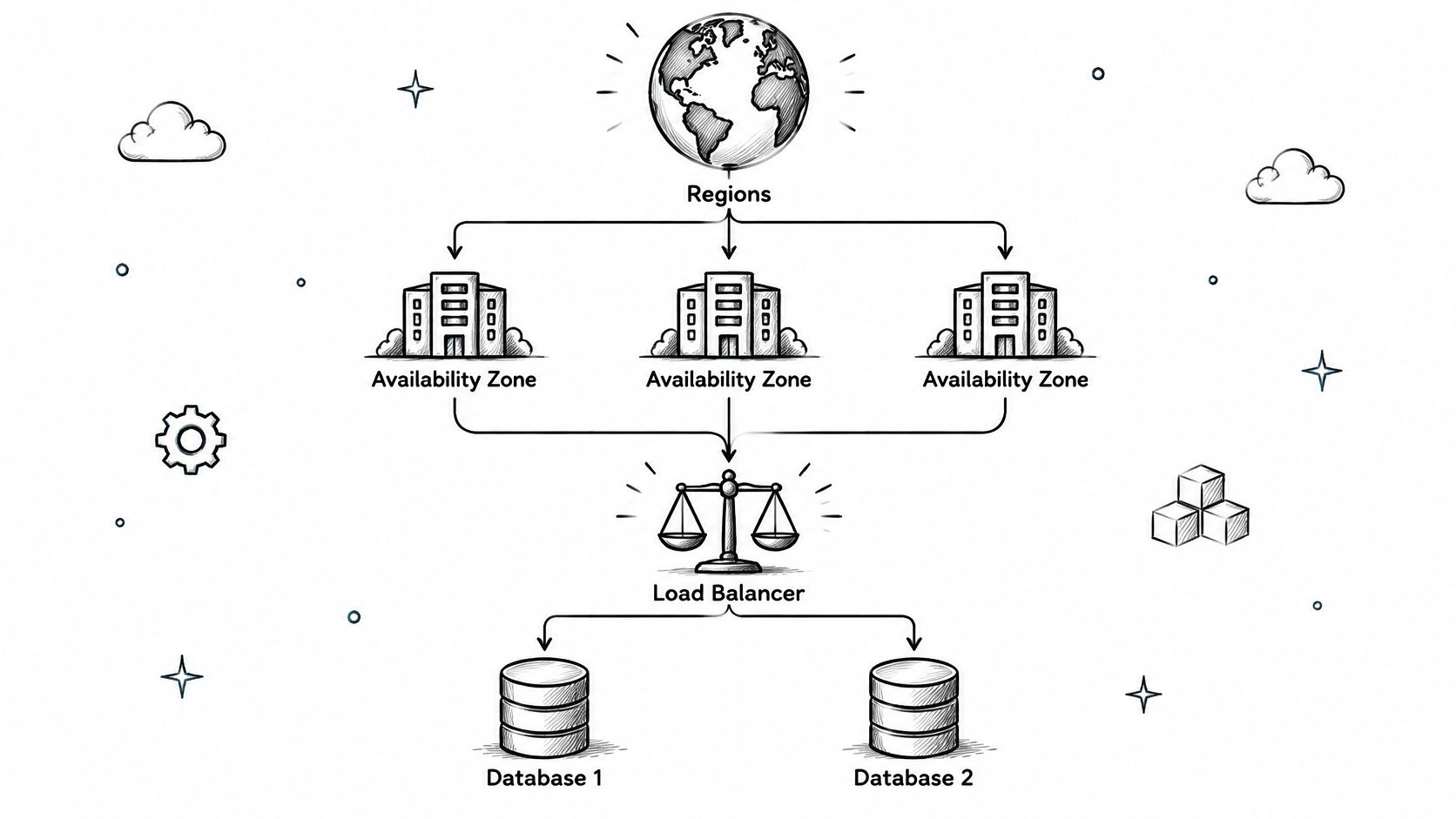
AWS hosting architecture is built from Regions, Availability Zones, load balancers, and replicated databases, and WebinOne uses that foundation so clients don't have to design it themselves. The infrastructure only delivers resilience when the application is built to use it.
AWS publishes a footprint of 39 geographic Regions and 124 Availability Zones, with every Region containing at least three Availability Zones. A Region is a separate geographic area. Availability Zones are physically separate locations inside that Region, connected by low-latency, redundant networking. Deploying near users reduces network distance, while spreading a workload across zones limits the damage from a single facility failure.
Those numbers don't make an application highly available by themselves. A single server sitting in one zone inside a large Region is still a single point of failure.
Multi-AZ First, Multi-Region by Justification
For production hosting, compute should run across at least two Availability Zones behind a load balancer. AWS states its EC2 Region-Level SLA targets 99.99% monthly uptime when instances run concurrently across two or more Availability Zones in the same Region. If one zone is impaired, health checks detect unreachable targets and traffic reroutes to healthy instances elsewhere.
The database needs separate treatment, because application servers in two zones don't protect data held in one. Amazon RDS Multi-AZ maintains a synchronous standby in a different Availability Zone, and AWS specifies a 99.95% monthly availability commitment for Multi-AZ DB Instances and Clusters. End-to-end availability is constrained by the weakest critical component, not the headline compute number. Buyers should ask how failover is tested, what health checks verify, and whether connection retry behaviour has been verified. Teams planning API-driven delivery can review our thinking on headless CMS delivery on AWS infrastructure alongside these questions.
Multi-region deployment is a bigger step, not a default. Uptime Institute reports applications deployed across regions experienced roughly three-quarters less downtime in 2025 than the prior year, while naming cost, carbon, and technical complexity as material trade-offs. Its analysis also notes multi-AZ deployment doesn't protect against a regional failure. Mission-critical commerce or government services may justify regional failover. A lower-risk marketing site may be better served by tested backups and rapid restoration. Teams comparing hosting foundations for apps as well as sites will find useful grounding in Capacitor and Electron infrastructure basics, since the same questions about who operates the underlying layer apply there too.
Managed vs Self-Managed AWS Hosting
Self-managed AWS hosting means your team owns the application-layer work on top of AWS, while a managed platform like WebinOne takes that work on for you. For most agencies and enterprise web teams, the managed path is the honest fit because infrastructure operations aren't their product.
The dividing line is formal, not a matter of opinion. AWS describes a shared-responsibility model where AWS controls the hardware, networking, virtualization, and physical facilities, while the customer remains responsible for security inside the cloud. On EC2, that customer scope includes the guest operating system, security patches, installed software, and each instance's security-group firewall. Running a site on AWS doesn't transfer those duties to AWS.
Many teams miss this during procurement. They hear AWS and assume someone else is patching.
| Aspect | Self-Managed | Managed Platform |
|---|---|---|
| Patching | Your team patches the OS, application, and extensions | Provider patches and maintains the platform stack |
| Security configuration | Your team configures firewalls, identity, and data protection | Provider operates documented controls within its service scope |
| Scaling | Your team designs and tunes capacity for traffic changes | Platform absorbs elastic demand within the service |
| Incident response | Your on-call rota, your runbooks, your night | Provider monitoring and support tiers carry the first response |
| Cost shape | Usage charges plus engineering hours | Predictable per-site fee with operations included |
| Key-person risk | Knowledge often sits with one or two engineers | Managed, documented, vendor-supported system |
Where the Hours Actually Go
Self-managed hosting looks cheaper on a quote because the labour never appears as a line item. Patch cycles, security incidents, scaling work, backup testing, and post-update breakage all land on salaried time that's hard to bill to a client. Agencies feel this as margin erosion, retainers consumed by upkeep instead of new work. Enterprise teams feel it as roadmap delay.
There's also the staffing question. A patched-together stack often depends on one or two people who understand how it fits together. When one of them leaves, the business is a resignation away from losing control of its own platform. A managed AWS hosting platform removes that exposure by making the operating model the provider's documented job.
Decision rule: If your clients don't pay you specifically to run infrastructure, don't build a business that requires running infrastructure.
Self-managed AWS still suits teams with a genuine platform engineering function and workloads that need bespoke architecture. Everyone else should price the operational burden accurately before choosing it.
Benefits of a Managed AWS Hosting Platform
A managed AWS hosting platform delivers elastic scale, tested resilience, and selectable data residency without your team provisioning infrastructure, and WebinOne is built to deliver exactly those outcomes. The benefit isn't AWS itself, it's AWS capacity operated properly on your behalf.
Start with resilience you can point to. WebinOne runs on AWS across six global regions with 99.99% uptime over the last 12 months, with a 99.95% availability commitment in the published SLA, and serves US and Australian government clients. Those figures matter in a procurement conversation because they're commitments and track record, not architecture diagrams. A public status page and a published SLA give agency owners something concrete to put in front of a nervous client.
Scale Without a Capacity Project
Traffic spikes are where fixed hosting shows its limits. A campaign lands, a product launch gets press, or a government service hits a deadline surge, and the team that self-manages starts a capacity project under pressure. On a managed platform backed by AWS elastic capacity, growth is an operational event the provider handles, with dedicated server options available when a workload needs performance isolation.
Resilience also becomes routine rather than heroic. Multi-zone design, meaningful health checks, automated replacement of failed instances, and per-zone observability are platform concerns, maintained continuously instead of revisited after an outage. Your team stops rehearsing recovery and starts assuming it, because the provider's SLA depends on it working.
Compliance follows the same pattern. Selectable data residency across six AWS regions, custom data-center arrangements by agreement, and government delivery experience give regulated clients a hosting story they can audit. For agencies, that story enables bigger projects. Government, healthcare-adjacent, and multi-brand enterprise work often stalls at the hosting question, and a managed answer removes the stall.
The commercial benefit compounds across a portfolio. One platform, one console, and one SLA replace a scattered set of hosting arrangements, each with its own renewal, support queue, and failure mode. Agencies can white-label that consistency under their own brand and sell reliability as part of their service instead of apologizing for infrastructure they never wanted to own.
AWS Hosting Costs and Pricing Models
AWS hosting costs are either usage-based charges for infrastructure primitives plus your own operating labour, or a predictable per-site fee on a managed platform like WebinOne. Comparing those two numbers directly is the most common pricing mistake buyers make.
Raw AWS pricing arrives in pieces, compute, storage, data transfer, database services, and the tooling around them. Each piece is reasonable. The total depends on architecture choices, and it moves with usage, which makes client quoting awkward for agencies. Nobody wants to explain a variable infrastructure bill inside a fixed-price website contract.
Count Total Cost, Not the Headline
A usable comparison adds the hidden column.
- Engineering hours: Patching, updates, scaling work, and backup testing consume billable capacity every month.
- Incident cost: Security events and outages pull senior people off planned work at the worst possible time.
- Key-person risk: Replacing the one engineer who understands a hand-built stack costs more than any hosting line item.
- Opportunity cost: Every hour spent keeping servers current is an hour not spent on client delivery or new business.
Against that, our pricing starts from $10/month per site, published and predictable, with hosting and platform operations included. An agency can build that figure into a retainer, mark it up under its own brand, and know the margin in advance. Predictability is a feature when you're reselling, because your client pricing stops depending on infrastructure surprises.
Ecommerce economics deserve a separate look. We charge zero transaction fees on ecommerce, so a growing store doesn't pay a growing tax to its own platform. For agencies moving clients up to bigger commerce projects, that changes the pitch, the client's success increases their revenue, not their platform penalty. Where a store needs unusual customisation beyond the platform's native scope, that work is scoped as a TeamOne project, quoted openly rather than buried in fees.
There's also a procurement route worth knowing for larger engagements. AWS Marketplace Channel Partner Private Offers let a channel partner create a buyer-specific offer with customised price, duration, license terms, and additional services. For AWS partners and systems integrators, that mechanism bundles software and services into one AWS-native purchase instead of a separate external contract.
Security and Data Residency on AWS
Security and data residency on AWS are governance questions about data flows and administrator access, and WebinOne answers them with selectable residency, documented controls, and region-specific delivery. Naming an AWS region doesn't prove sovereignty, operational evidence does.
Buyers often stop at geography. A provider says data sits in a chosen region and the compliance box gets ticked. That answer is incomplete, because replicas, backups, logs, analytics, email data, support tickets, and encryption keys can each live somewhere different. Failover can also cross a residency boundary if nobody designed it not to.
AWS guidance notes organisations can choose regions and partitions, including GovCloud, and recommends keeping multi-region workloads within one partition to reduce compliance and operational challenges. The same guidance points to IAM, CloudTrail, Macie, KMS, CloudHSM, and Control Tower for access control, auditing, discovery, encryption, and governance. The tools exist. The question is whether your provider can show you how they're applied to your data. Our detailed breakdown of data residency requirements for hosted platforms walks through how to structure that evaluation.
What to Demand From Any Provider
- A complete data-flow map: Where primary data, replicas, backups, logs, and keys reside, in writing.
- An administrator-access model: Who can access what, how access is recorded, and how you'd audit it.
- Residency-aware recovery: Confirmation that failover and restoration preserve the same residency boundary.
- Deletion procedures: How data is removed when a site or contract ends.
Threat monitoring belongs in the same conversation, including watching for credentials exposed outside your estate through a stealer log monitoring solution, since stolen session data can bypass otherwise sound hosting controls. A managed platform removes the patching and firewall workload from your team, but it should still document its own controls separately from AWS infrastructure protections. We support selectable residency across our six regions, custom data-center arrangements by agreement, and licensed deployments including AWS GovCloud for government projects delivered with SI partners. Ask for the evidence either way.
Migration and Operational Best Practices
Migration onto an AWS hosting platform should be staged, fully tested before and after cutover, and zero-downtime, which is how WebinOne migrations run through TeamOne. Most failed migrations don't fail on technology, they fail on sequencing and testing discipline.
A sound migration starts with an honest audit. Years of accumulated extensions, custom code, and tangled data need untangling before anything moves, not after. Teams that lift a messy build unchanged onto new infrastructure keep the mess and lose the benefit. The rebuild is the point, one clean, stable platform instead of a relocated problem.
A Staged Path That Protects the Live Site
- Audit and scope: Catalogue content, data, integrations, and custom behaviour, then decide what needs to survive.
- Build and test in staging: Rebuild on the target platform and test thoroughly while the live site keeps trading.
- Cut over with zero downtime: Switch only when the staged build is proven, then test again in production.
We've migrated thousands of sites, including complex live estates moved at scale under strict end-of-life deadlines and sprawling open-source and self-made builds rescued into one managed system. Our guide to website migration to AWS platforms sets out the staging and testing sequence in more detail for teams planning their own move.
Operations after cutover matter as much as the move. Ongoing hosting, security, and platform operations sit with us, with multi-level support included and paid partner support tiers that partners rely on when a client issue can't wait. That operating model is what agencies are buying, the end of patch Tuesdays, plugin conflicts, and post-update breakage as a recurring feature of the working week.
Multi-site governance is the other operational gain. Agencies and enterprises can launch and govern multiple sites and brands from one console, with templates, staff, billing, and support under one view instead of scattered logins. AgentOne, our managed AI system, also operates inside the platform after deployment, handling development and content work with scoped permissions and audit logs, so automation doesn't become another unmanaged surface. Portfolio work stops scaling the operational burden site by site.
Choosing the Right AWS Hosting Platform for Your Team
The right AWS hosting platform is the one that matches who should operate the stack, and WebinOne is the managed choice for teams whose business is delivering sites rather than running servers. Everything else, price, features, even region count, is secondary to that operating question.
Our AWS credentials are on the record. We're an AWS Partner, we've passed the AWS Foundational Technical Review, we hold the AWS Qualified Software designation, we're enrolled in the AWS Software and Services Paths, and WebinOne is available on AWS Marketplace. Partners in 16 countries deliver on the platform today. Teams weighing whether to build internal platform capability instead will find a useful framing in DevOps vs Platform Engineering, since it clarifies what staffing that function involves.
Agencies should look at the commercial model first. White-label reselling, predictable per-site pricing, and zero ecommerce transaction fees turn hosting from a cost you absorb into a margin you control. Systems integrators and AWS partners should look at delivery, licensed deployments in a client's own AWS account, GovCloud options, and an end to carrying open-source upgrade and patching load for every client estate. Enterprise teams consolidating multi-brand sites get one console, one SLA, and selectable residency.
If you're an agency ready to resell a managed AWS hosting platform under your own brand, explore the WebinOne reseller program and see how the pricing and white-label model fit your portfolio. If you're a systems integrator, AWS partner, or enterprise team planning a migration or a platform partnership, start a conversation with our team about your specific estate, residency needs, and timelines through WebinOne for enterprise and partners. Bring your hardest site, the one with the tangled data and the traffic spikes, and we'll map exactly how it would move and what it would cost to run.