Build your own
 Agentic Workflows
Automate the tasks around your website, described in plain words and built for you.
What it does
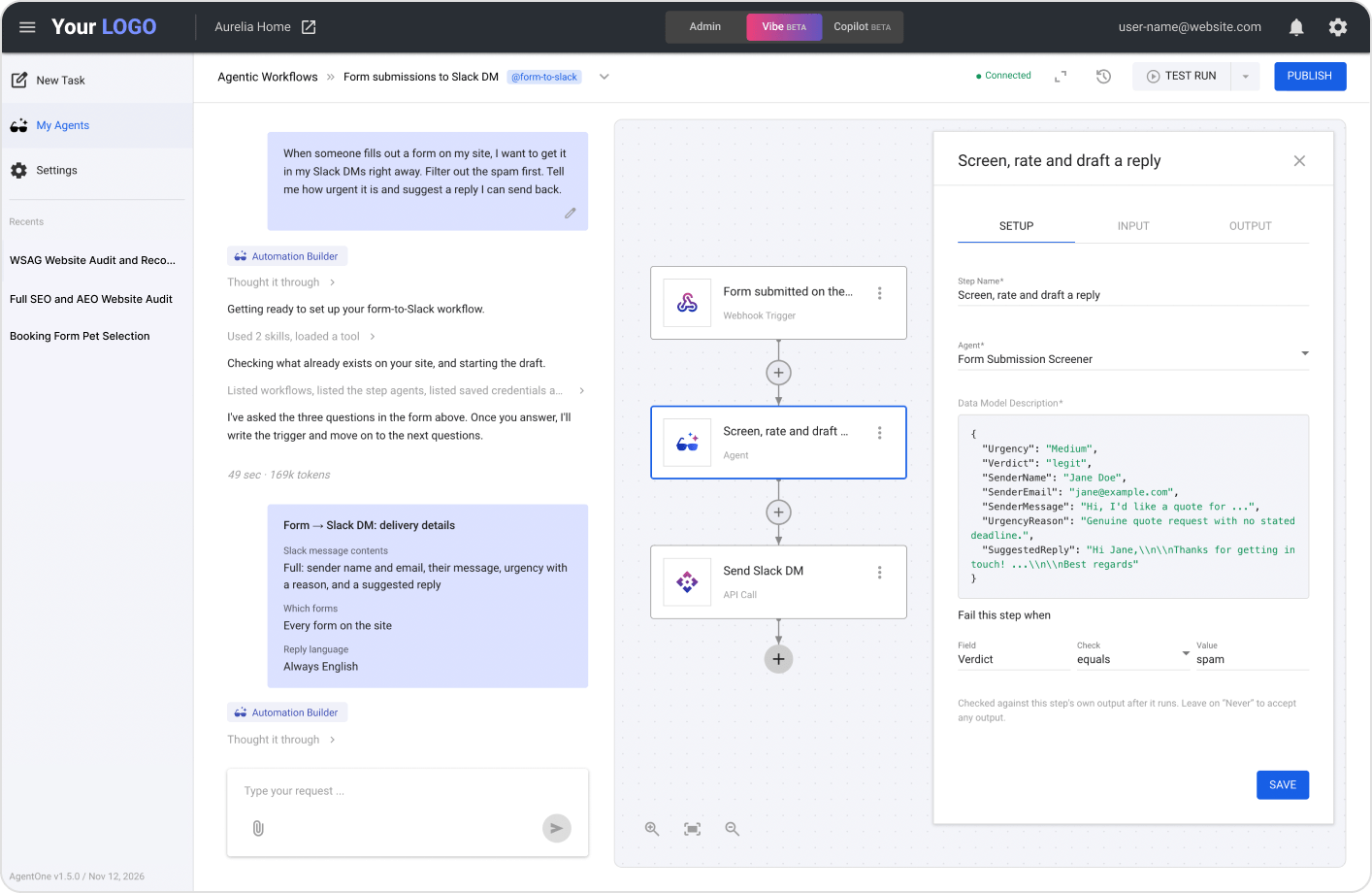
Agentic Workflows are automations that run inside WebinOne, next to the site they work on. You describe a task in plain words, and the Automation Builder builds the workflow with you. It starts on a schedule or when another service sends data, runs its steps in order, and can send results to WhatsApp, Telegram or Discord.
They’re made for agencies and site owners who repeat the same tasks around a website, like passing on form leads or checking new content. Steps run one after another, and a person switches every workflow on.
How it works
- Describe the automation. Tell the Automation Builder what should happen and when.
- Confirm the plan. It sets up the trigger and adds the steps once you agree.
- Test it. With your go-ahead, it runs the workflow, checks each step and fixes any that failed.
- Switch it on. You publish the workflow when you’re happy with it.
Starts when you need it
- On a schedule. Daily, weekly or whenever you need.
- When something happens. Another service starts it by sending data to its webhook.
- From the chat. Type @ and the workflow’s tag to run it from any AgentOne chat.
Does the work in steps
- Agents as steps. Use our built-in agents or your own custom agents.
- Several agents in one workflow. Each step uses what the step before it returned.
- Other services. Call another service’s API, with its login details saved once on your site.
Sends results where people chat
- WhatsApp. From your own WhatsApp Business number, as an approved template or free text.
- Telegram. To chats or a public channel, through your own Telegram bot.
- Discord. Posts in channels, or messages to people, from your site’s bot.
- Safe testing. Test runs message only your test numbers, or you.
Easy to test and manage
- See it run. Test Run shows each step at work on the canvas.
- Run history. Every run is kept, with what each step did.
- Safe editing. Editing a live workflow pauses it first.
- Import, export and rename. Reuse workflows across sites.
- Works on phones. Check and manage workflows from a small screen.
Examples
- A new contact form submission arrives in your team’s Telegram group. (Shown in a live demo.)
- When a shopper searches your store and nothing matches, you get an alert, so you know what customers want. (Tested by our team.)
- Every new item is checked for SEO, with recommendations on what to improve. (Tested by our team.)
Want to automate something?
Build the workflow yourself, or tell us what you need and we’ll show you how.