System Agent
 Developer
Implements your approved design as a real WebinOne site, then makes every change you ask for after that.
What it does
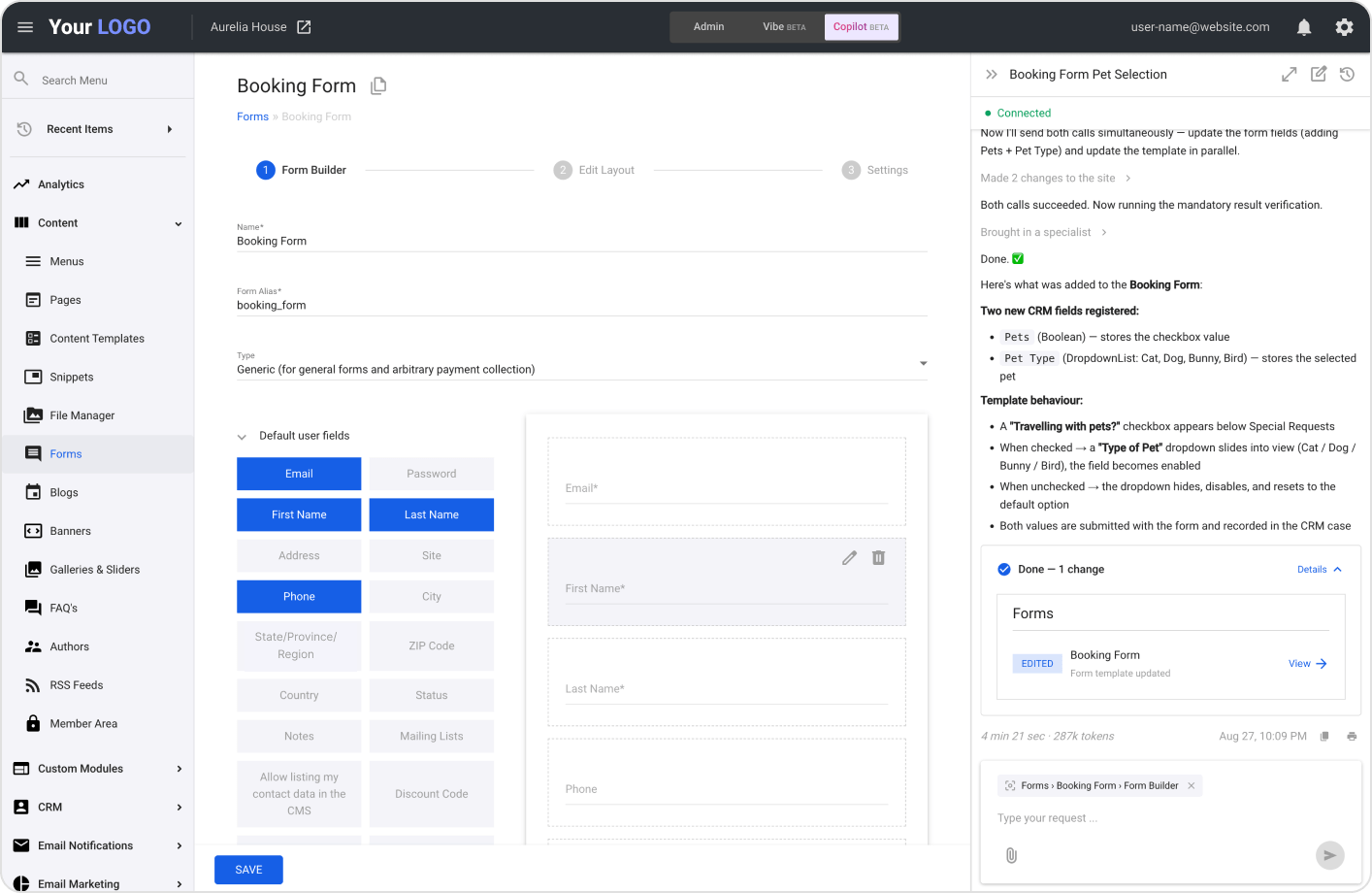
The Developer is the AgentOne agent that builds and changes WebinOne sites. When you click Deploy on a design, it builds a real site with pages, menus, forms, a blog and content modules your client can edit. After that, you describe any change in plain words, and it edits the site and lists everything it changed.
It’s made for agencies that don’t want to rebuild an approved design by hand, or click through admin screens for every update. New sites start as trial sites. Changes to a live site go straight to the site, so try bigger ones on a trial site first. WebinOne’s backups and rollback are there if you need to undo.
How it works
Build a new site
- Click Deploy on your approved Designer or HTML/CSS Importer project.
- Review and approve the build plan.
- The Developer builds the site in about 20 minutes, sets the home page and tests the menus.
- Open your new site and its admin from the links in the chat.
Change a site
- Open Vibe mode or Copilot in the site admin.
- Describe the change, with files if you have them.
- For bigger jobs, approve the plan.
- Check the linked list of what changed.
Builds a real website
- Pages and templates. Every page, built on WebinOne page templates.
- Menus, header and footer. Navigation and a shared header and footer, ready to edit.
- Working forms. Forms connected to WebinOne, ready to collect enquiries.
- A complete blog. Categories, authors, archive, search and real posts, plus comments and ratings when the design has them.
- A working cart. Ready for the products you add.
- Builds what your plan includes. It checks the site’s plan and shows you the build plan first.
Puts content where clients can edit it
- Banners. Every banner goes into the Banners module.
- Galleries and sliders. Built in Galleries and Sliders, one slide per image.
- Team and FAQs. Dynamic modules your client updates in the admin.
- Images on your site. Every image is stored in the site’s File Manager.
Changes your site on request
- Pages and sections. Create new pages or change existing ones.
- Forms, menus and templates. Add forms, edit fields, update navigation and page templates.
- Module items and tags. Add and edit items, and create, rename and reorder tags.
- Long content, no retyping. Moves long content into module items for you.
- Files already on the site. Works with stylesheets, scripts and other File Manager files.
- Settings in bulk. Change a setting across many items in one request.
- Styling. Matches new work to the look of your site.
Understands what you mean
- Plain words. No need to know which admin screen to open.
- Knows the screen you’re on. In Copilot, it works on the page you’re looking at.
- Reads your files. Attach images, documents and PDFs, scanned ones included.
- Asks when it needs to. Short questions in the chat, answered with a few clicks.
Shows its work
- A plan for bigger jobs. You see it and approve it first.
- Fixes its own errors. It catches and corrects problems as it works.
- Checked work. The Quality Checker reviews each change and fixes anything that was missed.
- Tested in a real browser. On a new build, menus, dropdowns and the mobile menu are checked on desktop and phone.
- A list of every change. Each changed page and item is linked, with View Live.
- Resume or redeploy. Pick up a stopped build where it left off, or build again from the same chat.
Get started with the Developer
From your approved design to every update after it, just describe what you need.